The idea of filming twice sounds harmless until you actually work through the production cost.
On paper, two separate takes can feel flexible. In practice, they usually create more setup time, more pressure on talent, and more cleanup later. That is why a dual-output workflow often wins for creators who publish regularly.
What filming twice really means
Filming twice is not just duplicating a recording. It means repeating a whole sequence:
- Set up the phone again.
- Reframe for the second format.
- Reset the script or delivery.
- Try to match the tone and pacing of the first take.
- Spend time checking that both versions are usable.
If the content is simple, that may sound fine. If the content is part of a weekly schedule, it gets expensive fast.
The hidden cost is usually not the minutes spent recording. It is the attention consumed by repetition.
What DualShot changes
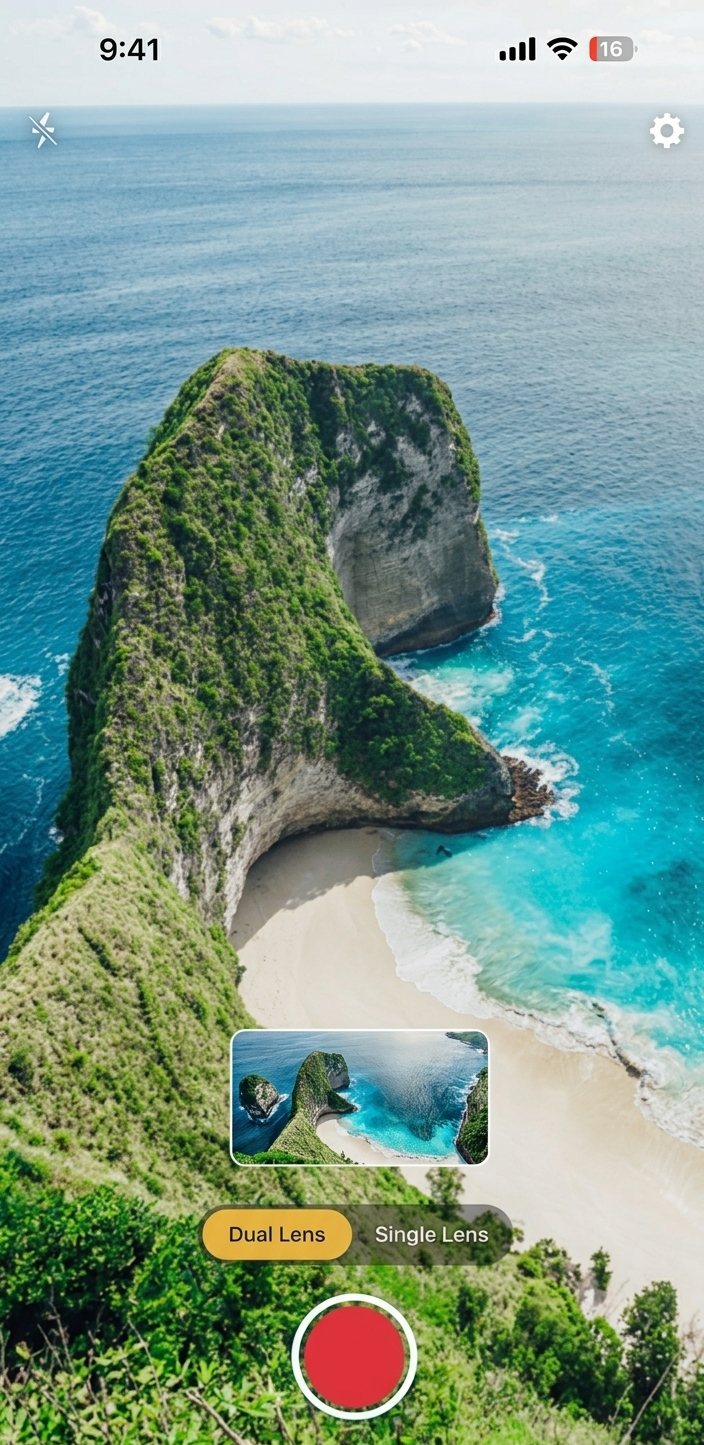
DualShot Recorder tries to replace repetition with reuse.
Instead of making you choose one shape of the video in the moment, the app lets you keep two outputs from one take. That means:
- One performance.
- One setup.
- Two deliverables.
- Less re-shooting.
That is especially useful when the message matters more than the camera trick. For talking-head content, product updates, educational clips, and founder commentary, the most valuable thing is usually the message itself. DualShot helps preserve it.
Where filming twice still makes sense
To be fair, filming twice is not always wrong.
It can be the better choice when:
- The second format needs a totally different composition.
- The subject or environment changes between versions.
- The creative concept is distinct enough that one take would feel forced.
- You are producing a premium piece that justifies the extra time.
If the result really needs two separate creative executions, that is a legitimate choice. But for the everyday creator workflow, that is not the common case.
The time-saving math
The time savings from one-take capture are usually larger than people expect.
When you record twice, you multiply:
- Setup time.
- Cueing time.
- Performance energy.
- Review time.
- The chance of small mistakes.
Even if each of those costs is small, the total adds up across a week of production. If you publish multiple times per week, the wasted time becomes a real bottleneck.
DualShot is useful because it reduces that multiplication. One recording session gives you a much better base to work from later.
Quality: why one performance often wins
There is also a quality argument.
Two separate takes often differ in small ways:
- A slightly different tone.
- A changed pause or emphasis.
- A gesture that lands differently.
- A less confident second delivery.
Those differences may not matter for a rough demo, but they matter when you want the final content to feel consistent.
One clean take tends to produce a more coherent result, especially for personality-driven content. That is one reason creators often prefer to preserve the original performance instead of trying to recreate it twice.
The editing tradeoff
Some people assume filming twice makes editing easier. Sometimes it does. But often it just moves the problem.
If the second take is a different shape or quality, the editor still has to:
- Match the pacing.
- Keep the storytelling consistent.
- Make sure both formats support the same message.
- Avoid spending extra time deciding which version is “better.”
With DualShot, you are more likely to start from a single source of truth. That reduces decision fatigue later.
A practical decision framework
Use this decision tree:
- Does the clip need two very different creative compositions?
- If yes, is the extra time worth the extra control?
- If no, can one capture session produce both outputs?
- If yes, use a dual-output workflow.
That framework keeps you from overcomplicating a simple content task.
Best fit use cases for DualShot
DualShot tends to win when the content is:
- Frequent.
- Short.
- Personality-led.
- Repurposed across platforms.
- Recorded under time pressure.
If that sounds like your workflow, one-take capture is probably the right default.
Best fit use cases for filming twice
Filming twice can still be right when the content is:
- Highly stylized.
- Ad-like or cinematic.
- Built around a different framing strategy for each platform.
- Rare enough that the extra time is acceptable.
The key is to choose intentionally, not by habit.
The bottom line
For most creators and teams, DualShot gives you the better default. It keeps the capture process simpler, reduces repetitive work, and preserves one performance for multiple outputs.
Filming twice is a valid tactic, but it should usually be a deliberate exception, not the standard workflow.
Want to compare the difference yourself?
Record one clip in DualShot, then compare the time it takes to repurpose it against your normal double-shoot workflow.